
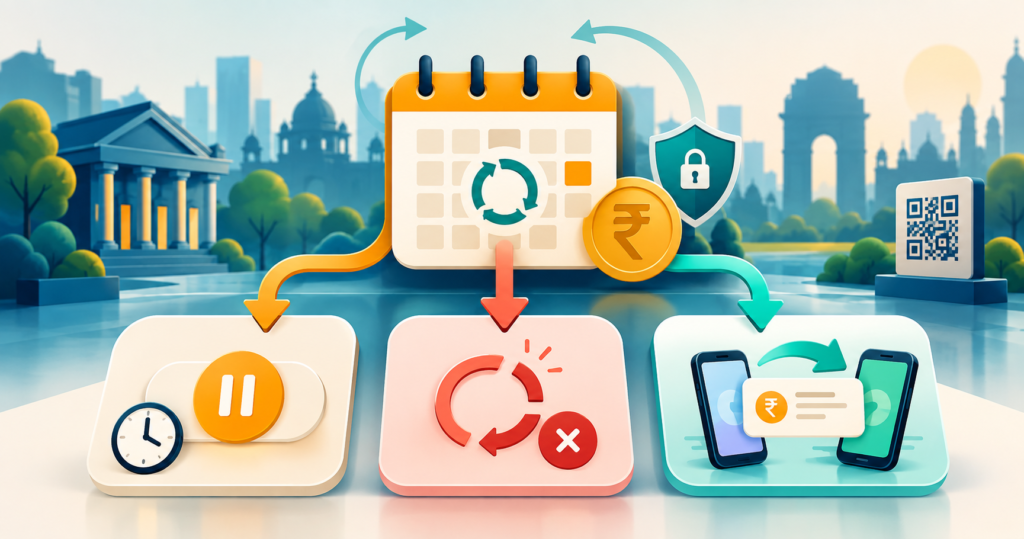
In 2025, NPCI made mandate porting subject to a 90-day rolling limit in UPI/OC-223: Enhancement of UPI Autopay (NPCI, 2025). You can usually manage a recurring mandate inside your UPI app, but the right action depends on what you want. Revoke ends it, pause stops it temporarily, modify changes supported terms, and port moves mandate management to another app.
Start with the UPI help guide for failed payments, refunds, fraud and mandates if you need broader troubleshooting. Menu names vary by app, bank and rollout stage. This guide explains the official process rather than promising identical buttons on every phone.
Key Takeaways
- Revoke a mandate to stop future debits permanently.
- Pause it only when you expect to resume later.
- In 2025, NPCI limited porting to once per rolling 90 days in UPI/OC-223: Enhancement of UPI Autopay.
- Every payer-initiated AutoPay action requires a UPI PIN under NPCI’s enhanced framework.
What do cancel, revoke, pause, modify and port mean?
In 2025, NPCI listed four existing mandate operations, revoke, pause, modify and view, before adding porting in UPI/OC-223: Enhancement of UPI Autopay (NPCI, 2025). Choose revoke for a permanent stop, pause for a temporary stop, modify for permitted term changes and port only to change the managing UPI app.
| Action | Normal effect | Use it when |
|---|---|---|
| Cancel with merchant | Ends the subscription | You no longer want the service |
| Revoke mandate | Ends future mandate debits | You want payment authority ended |
| Pause mandate | Temporarily stops execution | You expect to resume later |
| Modify mandate | Changes supported terms | The app and merchant allow an edit |
| Port mandate | Moves management to another app | You prefer another supported app |
"Cancel" is often the merchant’s word for ending a subscription. "Revoke" is the clearer UPI mandate action. When leaving a paid service, cancel with the merchant and verify that the UPI mandate is revoked.
Unique analysis: Treat the merchant agreement and payment authority as separate layers. Ending only one can leave either an unpaid service or an unwanted payment authority. That distinction follows from NPCI’s mandate lifecycle controls.
What should you check before changing a mandate?
In 2024, RBI retained a rule requiring issuers to send a pre-debit notice at least 24 hours before most recurring debits in Processing of e-mandates for recurring transactions (Reserve Bank of India, 2024). Check the next debit date, amount, merchant, linked bank account and mandate status before taking action.
Have the registered mobile number, relevant UPI app and UPI PIN ready. Never share that PIN with a merchant, support agent or caller. Enter it only on the app’s secure PIN screen.
- Open the mandate details and confirm the merchant name or UPI ID.
- Match the maximum amount and frequency with your subscription record.
- Note the mandate reference, linked account and next debit date.
- Save the current status and mandate reference.
- If a debit is near, also cancel through the merchant’s official page.
RBI’s 24-hour notice rule has exceptions. Its 2024 circular exempts eligible FASTag and National Common Mobility Card auto-replenishment because those debits depend on a balance threshold. Don’t rely on an alert alone.
How do you cancel or revoke a UPI AutoPay mandate?
In 2020, NPCI’s NPCI introduces UPI AutoPay facility for recurring payment described nine possible frequencies, from one-time through yearly, and allowed users to revoke mandates (NPCI, 2020). To stop all future executions permanently, open the mandate details, choose Revoke or Cancel Mandate and authorize the request with your UPI PIN.
- Open the UPI app linked to the account used for AutoPay.
- Find AutoPay, Mandates, Recurring Payments or Manage Bank Accounts.
- Select the mandate and review its merchant, amount and schedule.
- Tap Revoke, Cancel Mandate or the closest equivalent.
- Authorize the action with your UPI PIN.
- Confirm the status becomes Revoked, Cancelled or Inactive.
Save the final status or reference. Revocation stops future executions, but it doesn’t reverse a completed debit. For an accidental transfer instead of AutoPay, follow the guide for when you sent money to the wrong UPI ID.
How do you pause or modify a UPI AutoPay mandate?
In 2024, NPCI’s UPI AutoPay Brand Guidelines stated that a user could pause or revoke a mandate at any time (NPCI, 2024). Pause is suitable for a temporary interruption. Modify is suitable only when the app and merchant expose the particular term you need to change.
To pause, select Pause, choose a period if offered and authorize with your UPI PIN. Check for a Paused status. To restart, select Resume and authorize again.
To modify, look for Modify or Edit and review every field. Some apps may permit changes to a limit or schedule. Others require revocation and a fresh merchant mandate. Editing a merchant subscription may not update the UPI mandate.
Unique analysis: Pause is a reversible payment control, not a subscription holiday. A merchant may still treat an unpaid invoice as overdue. Check the service terms before deciding that pause is enough.
How do you move a UPI AutoPay mandate to another app?
In 2025, NPCI limited a Port Mandate action to once in a rolling 90-day period in UPI/OC-223: Enhancement of UPI Autopay (NPCI, 2025). Porting should begin from mandate details fetched through View Mandate, remain user-driven and require your UPI PIN. Availability can still differ by app and rollout.
- Open the destination UPI app.
- Go to Manage Bank Accounts or its dedicated UPI AutoPay area.
- Use View Mandates to fetch active mandates for the linked bank account.
- Open the correct mandate details and look for Port Mandate.
- Verify the merchant, amount, frequency and bank account.
- Approve the port using your UPI PIN.
- Confirm the mandate appears in the destination app.
NPCI prohibits cashback, banners, alerts and similar inducements that solicit porting. It also restricts other uses of details fetched through View Mandate. If an app pressures you to move, verify that you are using its official release.
Porting changes the managing app, not the merchant, account or approved terms. If Port Mandate is missing, update the app and check official support. The feature may not yet be available.
What if the mandate option is missing or a debit is due soon?
In 2025, NPCI’s UPI/OC-223: Enhancement of UPI Autopay required mandate lifecycle controls under Manage Bank Accounts or a dedicated UPI AutoPay section, while permitting only one port per rolling 90 days (NPCI, 2025). First update the app and check both menu locations. Then use the issuing bank’s official support if the control remains absent.
If the next debit is close, revoke the mandate and cancel the subscription. A pending debit may not stop immediately. Save the mandate ID, transaction reference and support ticket.
If a debit succeeds, use the app’s complaint route and compare it with the mandate limit. The UPI transaction limits guide explains general and special-category limits, but your mandate may have a lower ceiling.
Unique analysis: Verify a state change, not a button tap. A completed action should leave Revoked, Paused or Ported status plus a reference. After a generic success message, reopen the mandate and confirm its state.
Common mistakes to avoid
In 2022, RBI reported more than 6.25 crore registered e-mandates across over 3,400 international merchants in Monetary Policy Statement, 2022-23: Resolution of the Monetary Policy Committee (Reserve Bank of India, 2022). At that scale, a small menu misunderstanding can affect a real recurring bill. Avoid these four errors.
Cancelling only inside the merchant app. The mandate may remain active. Recheck it in your UPI app and revoke it if appropriate.
Using pause as a permanent stop. Paused mandates can resume. Use revoke to end the authority.
Expecting porting to rewrite the mandate. Porting moves app management. It doesn’t change approved terms.
Entering a UPI PIN after a call or message. No support agent needs your PIN. Start every change inside the official app.
Frequently asked questions
In 2023, RBI raised the recurring e-mandate limit without extra authentication from ₹15,000 to ₹1 lakh for mutual funds, insurance and credit card bills in Monthly Bulletin, December 2023 (Reserve Bank of India, 2023). That category-specific limit does not remove your ability to revoke the mandate.
What should you do next?
In 2025, NPCI’s enhanced framework permitted one port during each rolling 90-day period and required a UPI PIN for every payer-initiated mandate operation in UPI/OC-223: Enhancement of UPI Autopay (NPCI, 2025). Choose the action that matches your intent, verify the resulting status and retain the reference.
Revoke for a permanent stop. Pause for a temporary break. Modify only supported terms. Port when another app should manage the same mandate. If the status doesn’t change, contact the app or issuing bank before the next debit.


